
Event rental software for small, hands-on businesses.
Keep track of chairs, tables and event equipment on Windows. Check rental availability, manage returns and prepare quote PDFs with TynRent.
One stock list, several events on the calendar.
A small event hire business can have plenty to track: a reception on Saturday, another booking on Sunday, and a few items still waiting to come back. Knowing what you own is different from knowing what you can promise for a particular date range.
TynRent brings inventory, reservation quantities, availability, check-out and returns into one Windows application. It is suited to a small operator managing reusable items such as folding chairs, tables and event accessories.
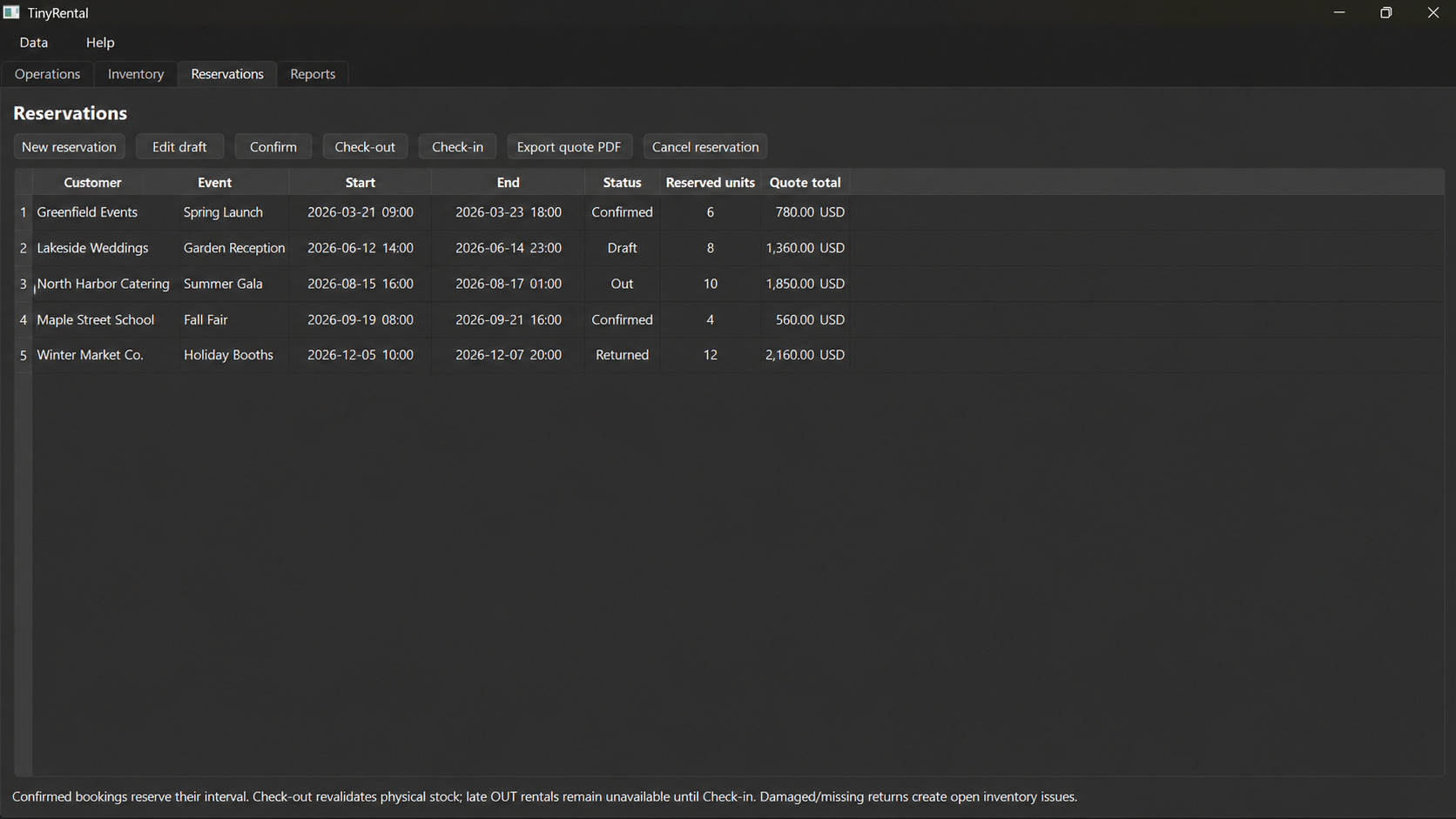 Open the full-size TynRent screenshot
Worked example · Fictional data
A garden reception with chairs and tables.
You own 30 folding chairs and 6 tables. A reservation needs 20 chairs and 4 tables for 5-6 December. Another request for the same period needs 15 chairs and 3 tables. With the first booking confirmed, only 10 chairs and 2 tables remain for that interval. The second request is short by 5 chairs and 1 table.
TynRent checks the selected period before confirmation. Insufficient stock leaves the reservation in Draft and identifies the shortage, so you can change the quantity or dates before making a commitment.
See a real PDF export
This sample was generated by TynRent's quote exporter using fictional data: 20 chairs at EUR 5 and 4 tables at EUR 15, for a total of EUR 160. The amounts illustrate the document; they are not suggested market rates.
Download the sample rental quote (PDF)Keep the return connected to the next booking.
During check-in, record returned, damaged and missing quantities. Unresolved damaged or missing items reduce usable availability. This matters when equipment is due out again soon: a damaged chair should not look ready simply because it appears on the inventory list.
Create backups and export your business records to CSV. Core rental data stays on your PC; license activation and periodic validation require internet access.
Check the fit for your operation.
TynRent targets Windows 11 x64 and small rental workflows. Its reports show booked reservation value. It does not currently provide accounting ledgers, invoice/payment tracking, an online booking storefront or a cloud workspace. Two device activations should not be interpreted as shared, synchronised stock.
Use the demo on the TynRent product page to evaluate your own booking and return scenario. Pricing, supported platform and license details are on that page.
Try the workflow with a small example.
Start with a few representative items and one reservation before entering your full catalogue. Our first rental reservation guide walks through inventory, confirmation, a sample PDF and a return check.
Still organising bookings in Excel? Use the free equipment rental spreadsheet, or read how to prevent equipment double-bookings.